





An effective listing helps you get your items in front of the right buyers. To understand how it should be, put yourself in the buyer's shoes. Which listing will attract you and help you choose an item? Follow our tips step by step — and turn ordinary listings into fast-selling ones!
What is an effective listing?
It's not enough to create an informative listing to find your buyer and get the sale. The buyer will pay attention to it if it has a high ranking in the search results. But how does eBay's search algorithm work?
eBay search engine
The eBay search engine works on the principle of Best Match. This means that in the search results, the buyer sees the results that best match the keywords he or she uses in a request.
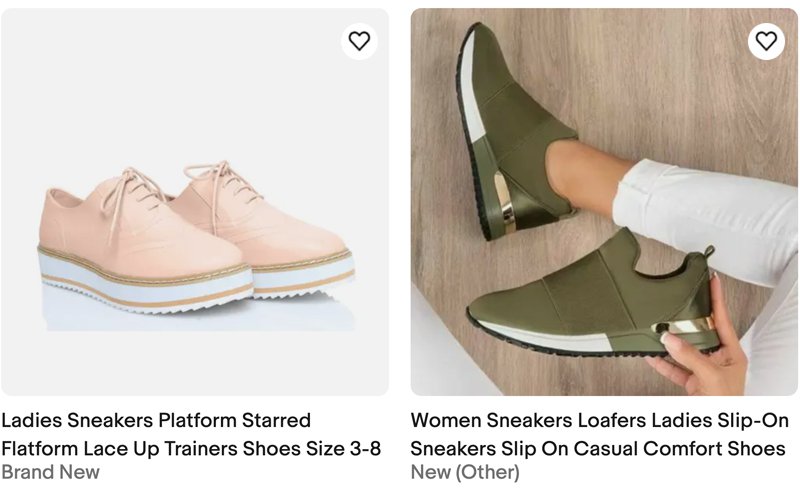
Example: If the buyer is looking for a red mobile phone case (1), only mobile phone cases that are defined as red under item specifics (2) will appear in their search results.
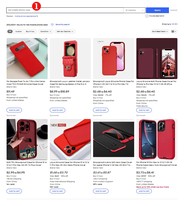
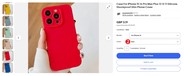
Our Best Match algorithm considers a number of different factors. These include:
- How closely the listing matches the buyer's search terms
- How popular the item is
- The price of the item
- The quality of your listing — description, photos, and so on
- How complete the listing is
- The listing terms of service, such as your return policy and handling time
- Your track record as a seller
You can see how effective your listing is by looking at the page views information.
Listings views
Page views information helps you understand how your listings are performing. It tracks how many times eBay users have looked at your listings.
To see how many views your listing has received:
- Go to My eBay.
- Then go to Activity tab > Selling > Active.
- Find the relevant listing.
- You'll find page views to the right of the item title.
Note that by adding page view counters to the listing, you are violating eBay's rules on active content. Listings with active content will be blocked.

How to optimize a listing
To increase the listing ranking in search results and improve the listings performance, follow eBay’s best listing and selling practices.
Listing format
When creating a listing you can choose the listing format that is right for you. Create an auction-style or fixed price format listing. Choosing the right format will help you sell your item at the best price.
When you list an item for sale in an eBay auction, buyers place bids and the item will go to the highest bidder. When the auction ends, you sell to the highest bidder.
You can choose whether your auction should run for 1, 3, 5, 7 or 10 days.
We recommend: Choose 7 or 10 days so that more buyers can see your listing.
Set a starting price. A low starting price can help attract bidders.
To motivate a buyer to buy an item without bidding, add the Buy it now option. The Buy It Now price has to be at least 30% higher than the auction starting price. The Buy It Now price is available only until someone bids on the item or until the reserve price is met.
More perks of auction listings:
- Auctions and betting are an exciting processes that attract buyers
- The bidding can offer you a better price than you expected
- You may be charged an insertion fee to list your item. You will receive one insertion fee credit for each auction-style listing if that listed item sells. Exclusions apply
- You can place the first 250 auction listings every month for free
- eBay Store subscribers can create up to 2500 free auction listings per month
Choose auction listings when:
- You're unsure of the value of your item and want the eBay marketplace to determine it
- Your item is unique or hard-to-find, meaning it may attract demand and spur a bidding war
- Your item's market value may fluctuate due to seasonality or popularity
Your item purchase history page displays prices including VAT
VAT is included in the price of the item purchase history page. It is in compliance with the EU tax legislation and helps buyers see complete information.
This is how sellers and buyers see prices:
- A seller: all prices are visible
- A logged-in buyer that bought the item before: Buy It Now price + their purchase price via Best Offer
- A logged-in buyer in the anonymous mode or a buyer that hasn’t logged in: only Buy It Now price is visible (if the listing is not private)
Item title
Did you know? Listings that have titles with more than 60 characters have a 1.5 greater chance of selling.
An effective item title should be clear but concise and informative. According to eBay rules, you can use only 80 characters, so the title should be carefully considered.
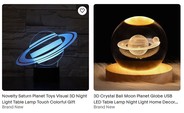

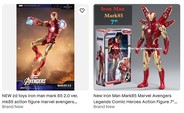
Include keywords in the title that customers are likely to use in their search queries. If you are listing the item with variations (e.g., when a dress is presented in different colors), you do not need to give details of all variations in the title. They are indexed automatically and will come up according to the search terms used by the buyer.
Write the title correctly — avoid writing entire words in capital letters or with asterisks and other markers between words. These practices can lower your listing ranking in search results.
Structured data
eBay’s search engine uses so-called structured data. These include item category, item description, item specifics and item identifiers. That's why detailed and accurate item information helps buyers find the item and increases the ranking of your listing in search results.
Item category
Item description
Product identifiers
Item specifics
Pictures
According to an eBay study, listings with better photo quality are up to 5% more likely to sell*.
Here are some rules to follow when using photos:
- You can upload up to 24 photos photos of your item for free — use this feature and upload as many photos as you can
- Photograph your item at different angles, take close-up shots of the details
- Don't add borders or text to your photos
- Be aware of the importance of copyright
Learn more with our comprehensive guide, which helps you take the best pictures of your items.
Video
Sometimes photos are just not enough. But you can upload a video to showcase your item or demonstrate it in action. The video will be shown in the second position in the photo gallery — and desktop browser users will see it, too.
Most effective videos:
- Product instructions and how-to videos
- Installations guides (such as for Parts & Accessories)
- DIY videos (for example, a recipe using a kitchen appliance)
- Unboxing videos
- Videos that clarify the item condition (if there are any scuffs, nicks, or tears)
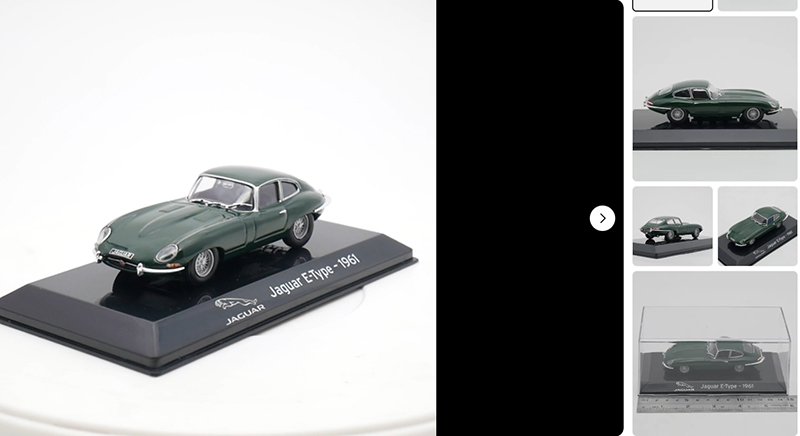
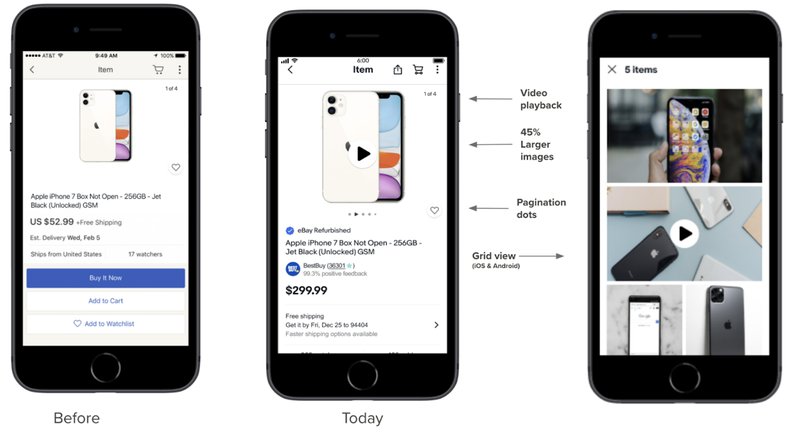
Photo and video content has become more engaging
Thanks to eBay interface improvements, listings have become more engaging and attractive to buyers. Apart from the support for video playback, mobile users now enjoy a much larger image panel. Pagination dots under the photo carousel show that there are additional images, and the grid view allows the buyer to see all pictures in one click.
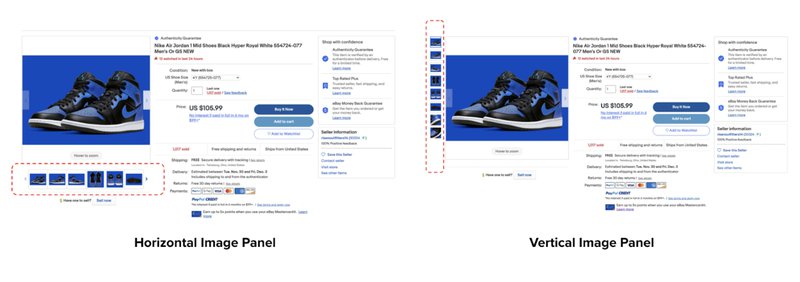
On desktops, listings also look different now. The image layout can be either horizontal or vertical. Buyers will see nudges on the image: Click to enlarge & Hover to zoom.
Selling policies
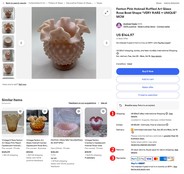
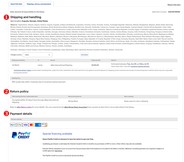
Make sure that the terms of sale of your items are transparent. Your buyer should have a clear understanding of the shipping options (1), return policy (2) and payment policy (3). Be sure to specify a handling time.
Payment policy
Buyers have different payment options (credit and debit cards, Apple Pay, Google Pay and PayPal, as well as other locally accepted forms of payment, depending on the listing site).
Handling time
Buyers like getting their items fast, so the sooner you ship, the happier they'll be. It also increases the chance of your listings getting higher ranking in search results.
Pay attention:
- The fewer handling time that you offer, the fewer estimated delivery date the buyer will see
- Your listings will get preference over competitors in the search results
- A greater chance of appearing in the search, even when customers filter by shipping time
Shipping policy
Shipping policy defines what the offered handling times and shipping options are, including costs.
- Offer an option of free shipping — more than 80% of customers look for products with free shipping
- Offer at least one option for Expedited shipping, at extra cost
- Offer shipping discounts and additional relevant discounts clearly — in order to win your customers’ hearts
Our step-by-step guides help you setting up your shipping options:
How to set up your shipping options: step-by-step guide
Tips for shipping internationally
Returns policy
We recommend you offer as generous a returns policy as possible.
Please, specify:
- The return time-frame: 30 or 60 days
- The type of return: Exchange for a different product or a refund
- Who is responsible for the returns shipping cost (seller or buyer)
Learn more how to set up returns in our guides:
Listing upgrades
Listing upgrades help your listing to stand out from the crowd in the search results.
You have options available:
- Bold type font in your item title
- Subtitle
- Gallery Plus benefits — a buyer can click or hover over the icon with their mouse, and a larger version of the picture will appear
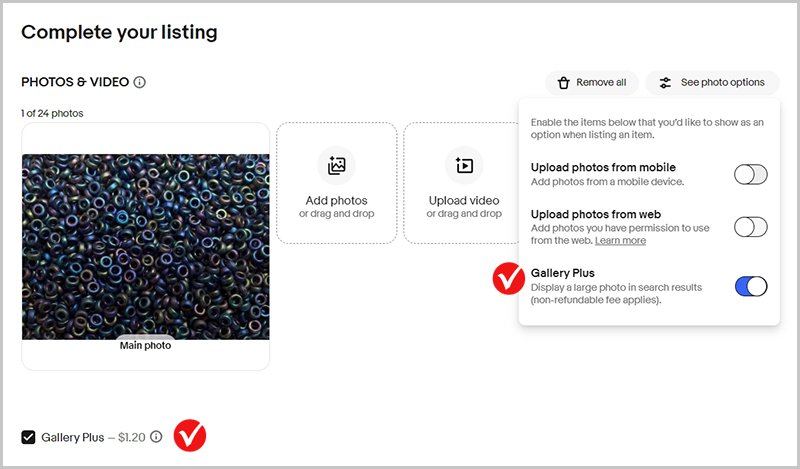
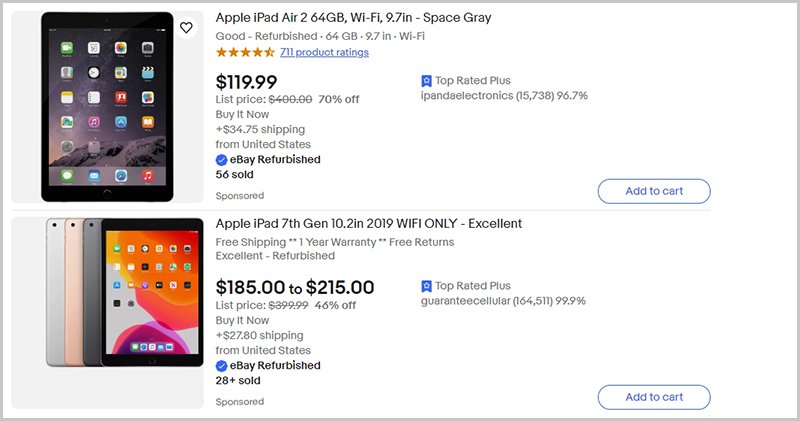
You can add Listing Upgrades when you create a listing in the Sell Your Item form. Most of the listing upgrades come with additional insertion fees.
Active content
Active content is a broad term which covers any type of non-standard text that is included in the listings to provide additional features, but may not be displayed correctly on different gadgets. These include, for example, animations, videos, viewer counters, additional tabs, currency conversion widgets, feedback forms, and more.
Active content such as JavaScript, Flash, 3D models, music, tabs or counters are not allowed on eBay as of June 2017. Please note that listings containing active content are blocked.
If you are an eBay Store subscriber, you can use the eBay Store benefits in creating your listings. For example, you can suggest your buyers sign up to your Store newsletter or use Discounts Manager to cross-sell related items.